G070 | G070E | G070E-CAN 7" HMI Panel

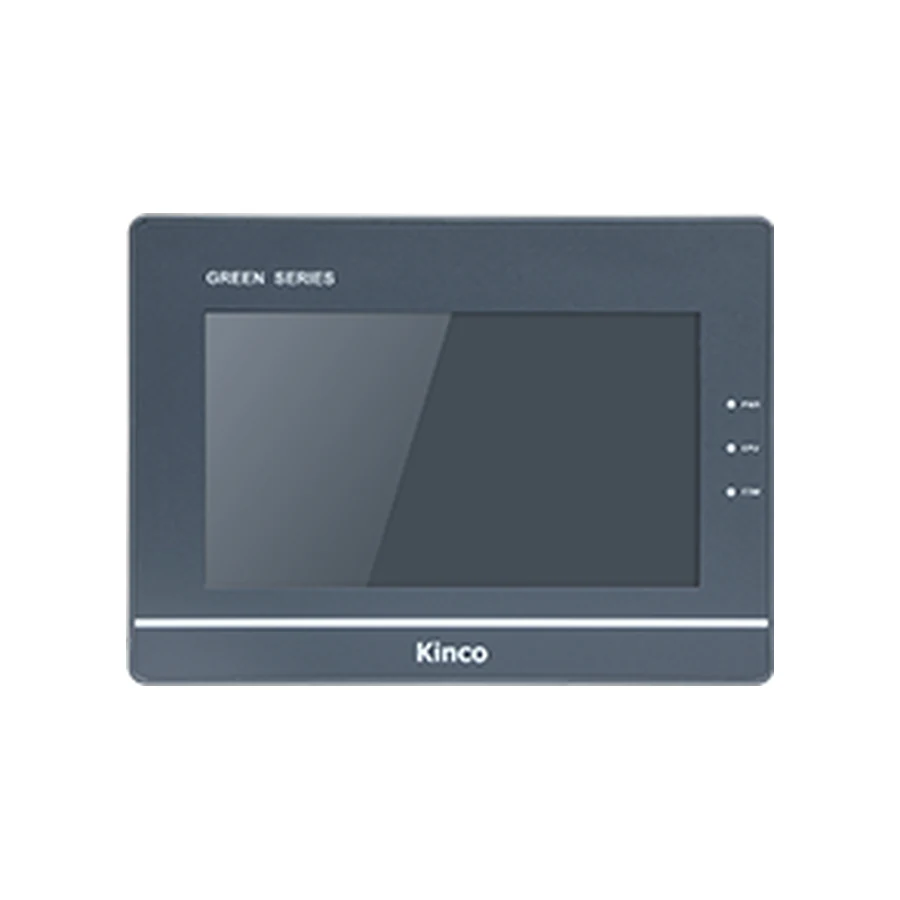
G070 | G070E | G070E-CAN 7" HMI Panel — Representative panel image; confirm the code and the cut-out with CINKR.

Standard SERIES · G070

G070 | G070E | G070E-CAN 7" HMI Panel

This page covers the G070, G070E and G070E-CAN model codes. The G070 is a 7-inch 800 × 480 resistive HMI panel from the Green Series - Standard Type (G1) range, with an ARM RISC 32-bit 800 MHz processor, 128 MB RAM and 256 MB flash storage; 3 serial ports, 1 USB host port and CANopen on G070E-CAN.

Generation: Green Series - Standard Type (G1) in the Standard series

7" display · 800 × 480Resistive touchARM RISC 32-bit 800 MHz3 serial ports and 1 USB host port

Covers 3 model codes that share this display — confirm the model code on the cabinet label before ordering.

Supplied by CINKR. Confirm the panel cut-out, the interfaces and the protocol before ordering.

PRODUCT GUIDE

About the G070 | G070E | G070E-CAN

This page covers the G070, G070E and G070E-CAN model codes. The G070 is a 7-inch 800 × 480 resistive HMI panel from the Green Series - Standard Type (G1) range, with an ARM RISC 32-bit 800 MHz processor, 128 MB RAM and 256 MB flash storage; 3 serial ports, 1 USB host port and CANopen on G070E-CAN.

QUICK DECISION

Know where this panel fits before you compare specifications.

BEST FIT

Choose G070 | G070E | G070E-CAN when you need:

  • Machine and cabinet panels that need a 7-inch display at 800 × 480 with resistive touch input.
  • Builds whose cabinet already uses 3 serial ports and 1 USB host port.
  • Panels that can be cut to the published 192 × 138 mm opening and accept a 204 × 150 × 37 mm panel body.
  • Control cabinets that supply DC 12 to 28 V to the panel.

CHECK BEFORE ORDERING

Confirm these details first:

  • This page covers 3 model codes (G070 | G070E | G070E-CAN) that share a display size and resolution; confirm which code matches the cabinet label.
  • Compare the published panel cut-out and panel body depth with the opening and the space behind the machine door.
  • Check the protocol and connector arrangement the machine program expects against the published interface set.

CONSIDER ANOTHER CODE IF

Your machine instead requires:

  • Machines that need a larger display than 7" or a higher resolution than 800 × 480.
  • Cabinets that need Wi-Fi and 4G.
  • Applications that require a capacitive or optically bonded front.

Overview

The G070 is a 7-inch 800 × 480 resistive HMI panel in the Green Series - Standard Type (G1) generation of the Standard series. This page covers G070, G070E and G070E-CAN, which share the same display size and resolution.

Published data: 7-inch display · 800 × 480 · resistive touch · ARM RISC 32-bit 800 MHz · 128 MB RAM · 256 MB flash.

The interface set is 3 serial ports, 1 USB host port and CANopen on G070E-CAN.

Best-Fit Applications

Panels in this size class are used on machine tools, packaging and filling lines, textile and printing machinery, battery and solar production equipment, rubber and plastics machines, and lifting equipment. The deciding factors are the panel opening, the protocol the machine program expects and the port set the cabinet already uses.

A 7-inch panel suits operators who work close to the machine. Where the panel is read from a distance or shows dense process graphics, compare the larger sizes in the same generation before ordering.

Key Capabilities

  • 7” display · 800 × 480 · 16.7 million colours · 400 cd/m² · viewing angle 70/70/60/70 (L/R/U/D)
  • 4-wire resistive touch panel with IP65 front protection
  • ARM RISC 32-bit 800 MHz · 128 MB RAM · 256 MB flash
  • Interfaces: 3 serial ports, 1 USB host port and CANopen on G070E-CAN
  • Powered from DC 12 to 28 V, drawing 3.8W at 24 V DC
  • Panel cut-out 192 × 138 mm with a 204 × 150 × 37 mm panel body
  • Configured with Kinco DTools; remote maintenance through Not offered on this model
  • CE testing listed as EN 61000-6-4:2007+A1:2011, EN 61000-6-2:2005

Compatibility Checklist

  • Compare the machine opening with the published 192 × 138 mm cut-out.
  • List the protocols and connectors the cabinet uses and compare them with the published interface set: 3 serial ports, 1 USB host port and CANopen on G070E-CAN.
  • Check that the cabinet supplies DC 12 to 28 V to the panel.
  • Confirm the panel works inside the published 0 to 50 °C range for the machine environment.
  • Write down the configuration software and protocol the machine program uses.

Replacement and Upgrade Guidance

When a panel is replaced, the model code alone is not enough. Panels that share a display size and resolution still differ in interface options, memory, panel depth and certification, so the variant code has to match the cabinet.

Send the existing panel label, the panel opening measurements and photos of the cabinet wiring with the request. Every value published on this page comes from the reference specification table for the code.

Who Should Choose This Panel?

Choose the G070 when the machine needs a 7-inch display at 800 × 480 and the cabinet already uses 3 serial ports and 1 USB host port.

Compare another model when the panel has to be larger, brighter, capacitive, or when the machine program expects an interface this group does not list. This group does not list Wi-Fi and 4G.

SELECTION CHECKLIST

Confirm a G070 before ordering

  1. Measure the panel openingCompare the machine opening with the published 192 × 138 mm cut-out and the 204 × 150 × 37 mm panel body.
  2. List the required portsWrite down every protocol and connector the cabinet uses, then compare them with the published interface set: 3 serial ports, 1 USB host port and CANopen on G070E-CAN.
  3. Confirm the program and protocolCheck which configuration software and protocol the machine program expects, then confirm the variant code that matches it.

SPECIFICATIONS

G070 | G070E | G070E-CAN Technical Specifications

Values come from the reference specification table for this page. A value the table does not publish is marked as confirm-before-ordering rather than estimated.

Model codesG070 | G070E | G070E-CAN · 3 codes that share the display size and resolution
SeriesStandard series · Green Series - Standard Type (G1)
Interface summaryG0703 serial portsG070E1 port · 3 serial portsG070E-CAN1 port · 3 serial ports · CANopen
Display
Display size7"
Resolution800 × 480
Display area154.08 × 85.92 mm (H × V)
Colours16.7 million colours
Viewing angle70/70/60/70 (L/R/U/D)
Contrast ratio500:1
BacklightLED
Brightness400 cd/m²
Backlight life> 30,000 hours
Touch panel4-wire resistive
Hardware
ProcessorARM RISC 32-bit 800 MHz
RAM128 MB
Flash storage256 MB
USB host1 port
USB device1 port
SD cardNot offered on this model
Interfaces
EthernetG070Not offered on this modelG070E1 portG070E-CAN1 port
Serial portsCOM0: RS232/RS485/RS422 · COM1: RS485/RS422 · COM2: RS232
CANopenG070Not offered on this modelG070ENot offered on this modelG070E-CAN1 × CANopen
Wi-FiNot offered on this model
4GNot offered on this model
HDMINot offered on this model
RFIDNot offered on this model
Power
Input powerDC 12 to 28 V
Power consumption3.8W at 24 V DC
Allowable power loss< 3ms
Insulation resistance> 50 MΩ at 500 V DC
Dielectric strength500 V AC for 1 minute
Power isolationIsolated
Serial port isolationNot offered on this model
Mechanical
EnclosureEngineering plastic
Panel dimensions204 × 150 × 37 mm
Panel cut-out192 × 138 mm
MountingPanel mounting
Front protectionIP65
PCB coatingConformal coating applied
Environment
Operating temperature0 to 50 °C
Operating humidity10 to 90 % RH (non-condensing)
Storage temperature-20 to 60 °C
Storage humidity10 to 90 % RH (non-condensing)
Vibration resistance10 to 500 Hz, 30 m/s², X, Y, Z direction/hour
CoolingNatural air cooling
Certification and software
CE certificateEN 61000-6-4:2007+A1:2011, EN 61000-6-2:2005
Configuration softwareKinco DTools
Remote maintenanceG070Not offered on this modelG070EEdgeAccess 1.0G070E-CANEdgeAccess 1.0

COMPARE RELATED PANELS

Compare G070 | G070E | G070E-CAN with Related Panels.

Related model codes help you avoid choosing a neighbouring size by accident. A different series or generation is not a substitute without a cut-out and port check.

ModelMain useDisplayResolutionPortsRelationship
G070 | G070E | G070E-CANGeneral machine panels with wide-viewing-angle displays7"800 × 4803 serial ports · Ethernet on G070E | G070E-CAN · CANopen on G070E-CANSelected code
G100 | G100EGeneral machine panels with wide-viewing-angle displays10.1"1024 × 6003 serial ports · Ethernet on G100ESame generation — compare the port set, memory and panel depth.
G121EGeneral machine panels with wide-viewing-angle displays12.1"800 × 6001 port · 3 serial portsSame generation — compare the port set, memory and panel depth.
GH070 | GH070EGeneral machine panels with wide-viewing-angle displays7"800 × 4804 serial ports · Ethernet on GH070ESame series, different generation — check the cut-out, ports and panel depth.

Related model codes show a size and interface comparison, not interchangeability. Confirm the cut-out, the port arrangement and the protocol before treating a neighbouring code as a replacement.

DOWNLOADS

G070 | G070E | G070E-CAN Manuals, Drawings & Software

Documentation is released for the exact model code, because the drawing, the port layout and the certificate follow the variant. Every item below is confirmed with the quotation.

G070 manual

Operating instructions, parameter references and panel setup information.

Released after the model code and the hardware details are confirmed.

G070 dimension drawing

Panel outline, panel cut-out and depth drawing for the machine door.

Released after the model code and the hardware details are confirmed.

Kinco DTools software

Kinco DTools or Kinco DTools Pro project software for this generation.

Released after the model code and the hardware details are confirmed.

CE certificate details

CE testing details and UL records for the model codes that carry them.

Released after the model code and the hardware details are confirmed.

FAQ

G070 | G070E | G070E-CAN — Questions to Check Before Ordering.

Which model codes does this page cover?

This page covers the G070, G070E and G070E-CAN model codes. They share a 7-inch display at 800 × 480; the differences between them are listed code by code in the specification table, so confirm the code on the cabinet label before ordering.

What display and touch panel does the G070 use?

The reference table lists a 7-inch display at 800 × 480 with 16.7 million colours and a resistive touch panel. Confirm the variant code if the machine already has a panel cut-out.

Which interfaces does the G070 provide?

The published interface set is 3 serial ports, 1 USB host port and CANopen on G070E-CAN. Compare the cabinet wiring and the protocol the machine program expects before treating the panel as a replacement.

What power supply and panel cut-out does the G070 need?

The panel is powered from DC 12 to 28 V. It fits a 192 × 138 mm panel opening. The panel body measures 204 × 150 × 37 mm. Confirm both against the machine before ordering.

Can the G070 replace the panel on an existing machine?

Panel replacement is a compatibility question rather than a model question. Confirm the cut-out, the mounting depth, the port set and the protocol the machine program expects before ordering. CINKR checks these details against the model and photos you send.

REQUEST A QUOTE

Request a Quote for the G070 | G070E | G070E-CAN

Tell us whether the G070 | G070E | G070E-CAN is for a new machine, an upgrade or a replacement, and include the panel opening and the interfaces in use. This form only prepares your message; nothing is submitted or stored.